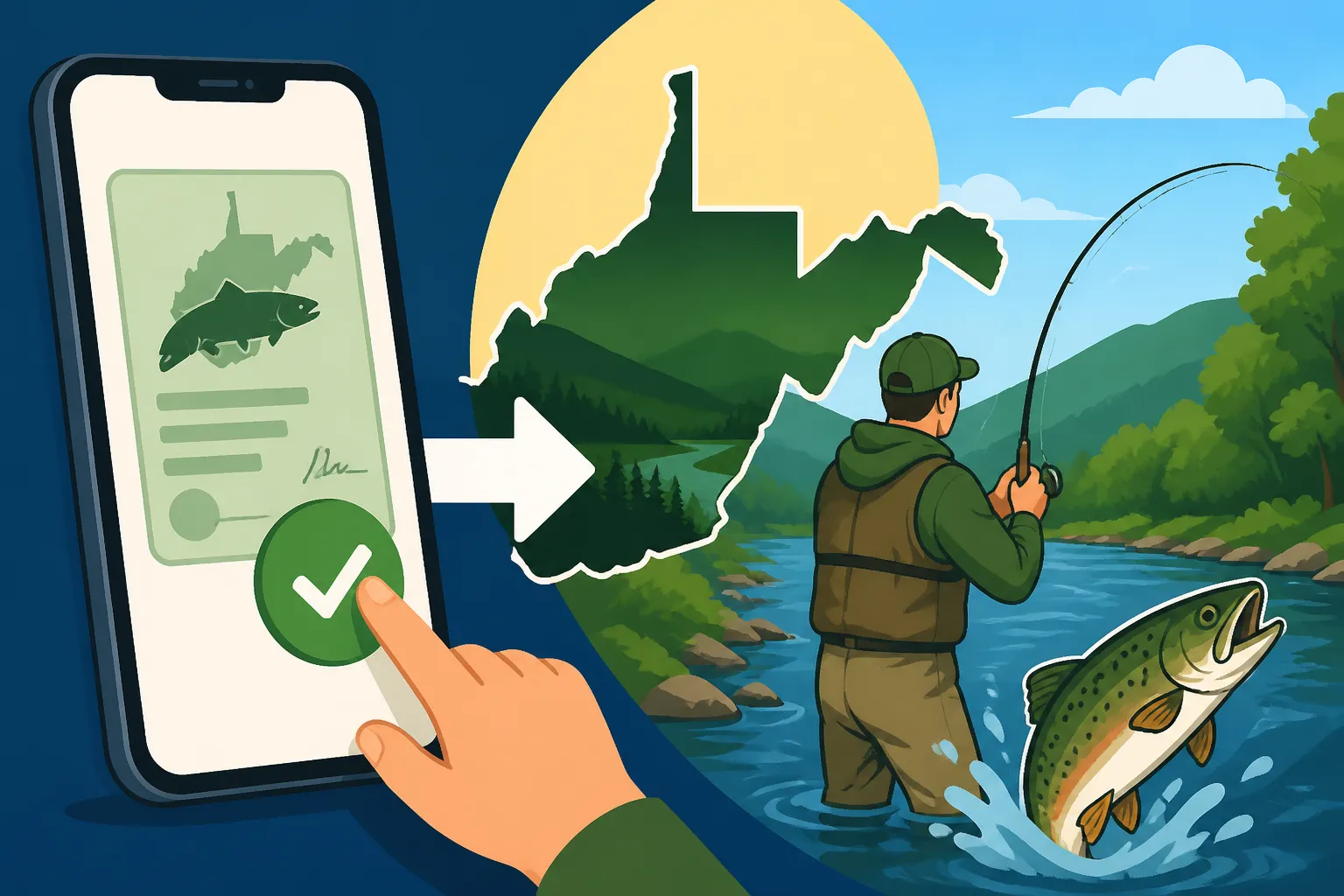
How to Buy a Fishing License on WVhunt.com
It can feel like a maze sometimes, can't it? You just want to get out on the water, throw a line in, and enjoy the peace and quiet of West Virginia's incredible streams and lakes. But before you can even think about the first cast, there's that hurdle: getting your fishing license. For many, the idea of navigating government websites to buy a permit online can be daunting, leading to questions about what information you need, where to click, and if you’re even doing it right. This comprehensive guide is here to demystify the entire process, walking you through every step of purchasing your West Virginia fishing license seamlessly on WVhunt.com.
Understanding WVhunt.com: Your Gateway to West Virginia Outdoors
Before we dive into the nitty-gritty of buying your license, let's get acquainted with WVhunt.com itself. Think of it as your official online portal for all things related to hunting and fishing in the Mountain State. It's not just a website; it's the central hub managed by the West Virginia Division of Natural Resources (WV DNR) for licenses, permits, harvest reporting, and even checking trout stocking schedules. Navigating it for the first time can seem a bit overwhelming, but once you understand its purpose, you’ll find it’s designed to be a one-stop shop for outdoor enthusiasts.
What is WVhunt.com? Beyond Just Fishing Licenses
WVhunt.com serves as the official online licensing and information system for the West Virginia DNR. While our focus today is squarely on fishing licenses, it’s worth noting that the platform handles a vast array of services. This includes hunting licenses, stamps for specific species like deer or turkey, various permits, and even applications for controlled hunts. For an angler, this means that once you have an account, you can manage all your outdoor recreation credentials in one place. It's a digital ecosystem created to streamline the regulatory side of enjoying West Virginia’s natural resources. From renewing your annual license to buying a short-term permit for a visiting friend, everything goes through this portal.
Why Online is Often the Easiest Option
In today's fast-paced world, convenience is king, and buying your fishing license online through WVhunt.com truly embodies that. Gone are the days of having to drive to a physical vendor, wait in line, and hope they have the specific license you need in stock. With WVhunt.com, you can purchase your license 24/7, from the comfort of your own home, on your computer, tablet, or even your smartphone. This means if you suddenly decide on a Friday evening that you want to hit the rivers on Saturday morning, you can get your license printed and ready to go in minutes. It's particularly helpful for those living in rural areas where physical vendors might be few and far between, or for out-of-state visitors planning a trip who want to sort out their permits ahead of time. It really takes the hassle out of a process that, honestly, should be simple so you can focus on the fishing itself.
Common Misconceptions About the Platform
Despite its convenience, some common misconceptions can deter new users from WVhunt.com. One of the biggest is that it's overly complicated or prone to errors. While any online system can have its quirks, WVhunt.com is generally user-friendly once you get the hang of it. Another misconception is that you need a physical printer to use the online system. While printing a physical copy is often recommended, the WV DNR now allows for a digital copy of your license on your smartphone through the WVhunt app, offering flexibility. If you're interested in all the specifics, check out our guide on Printing or Carrying a Digital Fishing License in West Virginia. Some people also worry about the security of their personal and financial information, but WVhunt.com uses standard encryption protocols to protect your data, similar to other secure online shopping platforms. Understanding these points upfront can help ease any initial hesitation you might have.
Preparing for Your Purchase: What You Need Before You Click "Buy"
Before you even log onto WVhunt.com, a little preparation can save you a lot of time and potential headaches. There’s nothing more frustrating than getting halfway through a purchase only to realize you’re missing a crucial piece of information. Gathering everything you need beforehand ensures a smooth, quick transaction, allowing you to get back to planning your fishing adventure. This isn't just about speed; it's about accuracy, ensuring you purchase the correct license type and qualify for any applicable discounts.
Gathering Necessary Personal Information
To purchase any license on WVhunt.com, you'll need to provide some standard personal information. This includes your full legal name, current address, date of birth, and gender. You'll also need a valid email address, as this is how the system will send you confirmation of your purchase and, importantly, a link to download or view your license. While less common, in some cases, your height, weight, and hair/eye color might also be requested to complete your profile, particularly if you’re setting up an account for the first time. Having this information readily available will prevent you from having to search for it mid-transaction. For those concerned about remembering login details, consider using a password manager; there are plenty of secure options available.
Proof of Residency Requirements
Residency is a crucial factor because it determines whether you qualify for a much cheaper resident fishing license or if you need to purchase a nonresident one. West Virginia, like most states, has specific criteria for what constitutes a "resident." Generally, to be considered a resident, you must have lived in the state for at least 30 consecutive days immediately prior to applying for a license. For adults, this usually means showing proof of domicile, like a West Virginia driver's license, voter registration, or state income tax returns. Students attending a West Virginia college or university might also qualify, but specific rules apply, so it’s always best to verify. If you're unsure whether you meet the criteria, it's vital to check the official West Virginia DNR regulations, or consult our in-depth article on Resident vs Nonresident Fishing License Costs in West Virginia. Getting this wrong could result in purchasing the incorrect license and facing penalties later, which is something no one wants.
Required Documents for Special Discounts
West Virginia offers several discounted or even free fishing license options for qualifying individuals, such as seniors, disabled veterans, and former prisoners of war (POWs). However, to take advantage of these, you'll need to provide specific documentation to prove your eligibility.
- Seniors: West Virginia residents aged 65 and older generally qualify for a discounted Class XS Senior Lifetime License. You'll typically need to provide proof of age, such as a birth certificate or driver's license. For specific age requirements and costs, our guide on West Virginia Senior Fishing License Rules by Birth Year is a valuable resource.
- Disabled Veterans and POWs: Eligible disabled veterans and former POWs often receive exemptions or significantly reduced rates. This typically requires documentation from the U.S. Department of Veterans Affairs certifying your disability status (e.g., 100% service-connected disability) or POW status. It's important to have these official documents ready, as the system may require you to upload them or provide specific identifying numbers. More details can be found in our guide on Disabled Veteran and POW Fishing License Exemptions in West Virginia.
- Blind Anglers: West Virginia also offers an exemption for legally blind anglers, requiring appropriate certification of blindness. Our article on Blind Angler Fishing License Exemption in West Virginia provides comprehensive information on how to claim this.
Always double-check the current year's regulations on the WV DNR website or within WVhunt.com's help sections, as requirements can occasionally change. Having scanned copies or digital photos of these documents ready on your computer can greatly speed up the application process if they are required for verification during an online purchase. If you’re like me, sometimes keeping track of all these documents can be a challenge. A good organizational tip is to have a dedicated folder on your computer for all important outdoor recreation documents. A small, water-resistant pouch, readily available on sites like Amazon, could also be a great physical storage solution for original documents you might need to carry.
Step-by-Step Guide to Buying Your License on WVhunt.com
Now that you've gathered all your necessary information, it's time to walk through the actual purchasing process on WVhunt.com. Don’t worry; we’ll go through it click-by-click, making sure you know exactly what to expect. The website is designed to be intuitive, but having a roadmap always helps.
Creating Your WVhunt.com Account or Logging In
Your first step will be to either create a new account or log into an existing one.
- New Users: If this is your first time using WVhunt.com, you’ll need to click the "Create Account" or "Register" button. This will usually prompt you to enter the personal information we discussed earlier, such as your name, address, date of birth, and email. You'll also need to create a unique username and password. Make sure to choose a strong password and keep it in a safe place. Once your account is created, you might receive a verification email – remember to check your spam folder if you don't see it immediately.
- Existing Users: If you've purchased licenses or permits through WVhunt.com before, simply enter your existing username and password to log in. If you've forgotten your login credentials, there's usually a "Forgot Username" or "Forgot Password" link that will guide you through the recovery process. This typically involves entering your email address or other identifying information to reset your password or retrieve your username.
Once logged in, you'll be directed to your personal dashboard, where you can view your past purchases, current licenses, and begin the process of buying new ones.
Selecting the Right License Type
This is where knowing your residency and fishing plans comes into play. On your dashboard, look for an option like "Buy Licenses & Permits" or "Purchase License." You'll then be presented with a list of available license types.
- Resident vs. Nonresident: The system will first ask if you are a West Virginia resident. Based on your previous input or a selection here, it will filter the available options. Resident licenses, such as the Class B Annual Resident Fishing License, are significantly cheaper than nonresident options. For a comprehensive breakdown of costs, refer to our article on How Much Does a West Virginia Fishing License Cost. Nonresidents will need to select a Class F Annual Nonresident Fishing License or a short-term permit.
- Annual vs. Short-Term: If you're a West Virginia resident, the annual license (Class B) is usually the best value for regular fishing. Nonresidents have more flexibility with short-term options, such as the 1-day or 3-day nonresident fishing permits, which are perfect for a quick weekend trip. Our guide on West Virginia 1-Day and 3-Day Nonresident Fishing Permits offers more details on these convenient options.
- Specialty Licenses: If you qualify, you might see options for specialized licenses like the Class XS Senior Lifetime License or combination hunting/fishing licenses. If you're planning to hunt as well, consider a West Virginia Combination Hunting and Fishing License Options to save some money. Be sure to select the option that best fits your needs and eligibility.
Carefully read the descriptions of each license type to ensure you're making the correct selection. The system will typically show the associated cost for each.
Adding Stamps and Endorsements
Many anglers will need more than just a basic fishing license, especially if they plan to target specific species or fish in certain areas. These are typically called "stamps" or "endorsements," and they are added after you select your base fishing license.
- Trout Stamp: If you plan on fishing for trout in West Virginia's stocked waters, a trout stamp (Class I) is mandatory, even for catch-and-release fishing. This is a common requirement that sometimes trips up new anglers. You can find detailed information about this in our Trout Stamps and Trout Fishing Rules in West Virginia guide. Make sure to add this to your cart if trout fishing is on your agenda. The system will usually prompt you to add it if you’ve selected a fishing license.
- Conservation Stamp: The West Virginia Conservation Stamp (Class CS) is a separate stamp required for most license holders. There are some exemptions, such as those holding a Class XS Senior Lifetime License or certain disabled veteran exemptions. This stamp helps fund conservation efforts across the state, so it's an important purchase for the health of West Virginia's wildlife and natural resources. For a deeper understanding of its purpose and exemptions, check out West Virginia's Conservation Stamp, Explained.
- Other Endorsements: Depending on specific regulations and your fishing plans, there might be other minor endorsements available. Always check the official West Virginia Fishing Regulations Explained for the current year to ensure you have all necessary permits for your target species or location.
The process usually involves clicking a checkbox or adding these stamps to your cart after you select your main fishing license. The total cost will update as you add each item.
Completing the Transaction and Payment
Once you have selected all your desired licenses and stamps, you will proceed to the checkout phase.
- Review Your Cart: The system will display a summary of your selections and the total cost. Take a moment to thoroughly review everything to ensure you haven't forgotten anything and that all details are correct. This is your last chance to make changes before payment.
- Payment Information: WVhunt.com accepts major credit and debit cards, typically Visa, MasterCard, Discover, and American Express. You'll be prompted to enter your card number, expiration date, and the security code (CVV). Ensure all payment information is entered accurately.
- Confirm Purchase: After entering your payment details, you'll usually click a "Submit" or "Confirm Purchase" button. The system will then process your payment. This typically only takes a few seconds.
- Confirmation and Receipt: Upon successful payment, you'll receive a confirmation screen. Crucially, an email containing your official license and receipt will be sent to the email address associated with your account. This email is your proof of purchase and contains the link or attachment to your license document. Make sure to save this email!
Table: Common West Virginia Fishing License Types and Requirements
| License Type | Eligibility | Common Stamps Required | Approximate Annual Cost (2026 est.) | Notes |
|---|---|---|---|---|
| Class B (Resident Annual) | WV Resident (30+ days) | Conservation, Trout (if fishing) | $20 – $30 | Basic annual license for residents. |
| Class F (Nonresident Annual) | Non-WV Resident | Conservation, Trout (if fishing) | $60 – $80 | Annual license for out-of-state anglers. |
| Class P (Nonresident 1-Day) | Non-WV Resident | Conservation (included), Trout (if fishing) | $5 – $10 | Good for a single day of fishing. |
| Class XP (Nonresident 3-Day) | Non-WV Resident | Conservation (included), Trout (if fishing) | $15 – $25 | Ideal for a short weekend trip. |
| Class XS (Senior Lifetime) | WV Resident, 65+ years old | Trout (if fishing) | $20 – $30 (one-time) | Highly discounted lifetime license for seniors. |
| Class I (Trout Stamp) | All Anglers fishing trout | N/A | $10 – $15 | Required in addition to a base license for trout. |
| Class CS (Conservation Stamp) | Most License Holders | N/A | $1 – $5 | Required for most, check for exemptions. |
Note: Costs are approximate for 2026 and subject to change. Always verify current prices on WVhunt.com.
Navigating Common Issues and Troubleshooting
Even with the best preparation, sometimes things don't go exactly as planned. Online systems, while convenient, can occasionally present challenges. Knowing how to troubleshoot common issues on WVhunt.com can save you a lot of frustration and ensure you still get your license in time for your trip. The key is to remain patient and systematically address the problem.
Payment Processing Errors
One of the most frequent issues users encounter is a payment processing error. This can manifest in several ways: your card being declined, a transaction failing to go through, or the system simply displaying an error message.
- Double-Check Information: The first step is always to verify that you've entered your credit or debit card number, expiration date, and security code (CVV) correctly. A single misplaced digit can cause a transaction to fail. Also, ensure your billing address matches the address associated with your card.
- Insufficient Funds or Card Limits: If your card is declined, it's possible you have insufficient funds, or you've hit your daily spending limit. Check with your bank or credit card provider to verify your card status.
- Browser Issues: Sometimes, an outdated browser or accumulated cookies and cache can interfere with payment processing. Try clearing your browser's cache and cookies, or switch to a different web browser (e.g., if you're using Chrome, try Firefox or Edge).
- Contact Your Bank: If all else fails, contact your bank or credit card company directly. They might have flagged the transaction as suspicious, especially if it's an online purchase from a new vendor. They can usually clear it on their end, allowing you to try again.
- Try a Different Card: If you have another credit or debit card available, trying a different one can sometimes resolve the issue quickly.
Account Access Problems
Forgetting your password or having your account locked can be a major headache, especially if you're trying to purchase a license last minute.
- "Forgot Username" / "Forgot Password": WVhunt.com, like most online platforms, has robust tools for password and username recovery. Look for these links prominently displayed on the login page. You'll typically be asked to enter your email address or other identifying information to verify your identity and receive instructions for resetting your credentials.
- Account Lockout: If you've made too many unsuccessful login attempts, the system might temporarily lock your account for security reasons. This usually resolves itself after a certain period (e.g., 30 minutes to an hour), but if you need immediate access, you might need to contact WV DNR customer service.
- Incorrect Personal Information: If you're struggling to recover your account, it might be due to outdated personal information in the system. For instance, if you've changed your email address since your last purchase. In such cases, direct contact with the WV DNR is usually necessary to verify your identity and update your details.
Technical Glitches or Website Downtime
While rare, websites can experience technical glitches or scheduled maintenance downtime.
- Check for Announcements: Before assuming it’s just you, check the WV DNR's official website or social media channels (if they have them) for any announcements regarding system maintenance or outages. They will often post updates if the site is experiencing issues.
- Try Again Later: If the website seems unresponsive or you're encountering persistent errors that aren't payment-related, simply waiting a few hours and trying again can often resolve the issue. Technical glitches are usually temporary.
- Browser Compatibility: Ensure your web browser is up to date. Very old browsers might not fully support all features of modern websites.
- Contact WV DNR Customer Service: If you've tried all the above and are still unable to complete your purchase, your best course of action is to contact the West Virginia DNR's licensing customer service directly. They can provide specific assistance, look into your account, and often resolve issues that aren't apparent on your end. Their contact information is usually available in the "Contact Us" section of WVhunt.com.
After Your Purchase: What to Do Next
Congratulations! You’ve successfully navigated WVhunt.com and purchased your West Virginia fishing license. But the process isn’t quite over. There are a few crucial steps to ensure you’re legally compliant and ready to hit the water. This involves understanding how to properly carry your license and knowing its validity.
Printing and Carrying Your License
Once your purchase is complete and you’ve received the confirmation email, you’ll typically find a link or an attachment (often a PDF file) to your official license document.
- Print a Physical Copy: While digital options are becoming more prevalent, carrying a printed physical copy of your license is always a safe bet. It ensures you have proof of license even if your phone battery dies or you lose signal in a remote area. Print it on standard paper and, for durability, you might consider laminating it or placing it in a waterproof license holder. These holders are inexpensive and widely available from outdoor retailers or even on Amazon, which can prevent it from getting soggy or torn in your tackle box or wallet.
- Carry it with You: This might sound obvious, but it’s essential to have your license on your person at all times while fishing. Conservation officers can and will ask to see it, and not having it with you is the same as not having one at all, potentially leading to a fine. It’s part of the West Virginia Fishing Regulations Explained and a crucial aspect of responsible angling.
Digital License Options and the WVhunt App
In a nod to modern convenience, West Virginia also embraces digital licensing.
- The WVhunt App: The West Virginia DNR offers a dedicated mobile application, the WVhunt app, available for both iOS and Android devices. After purchasing your license online, you can log into the app with your WVhunt.com credentials, and your active licenses will automatically appear. This allows you to display your license directly on your smartphone to a conservation officer. This is a fantastic option for those who prefer to go paperless and always have their phone with them. Our guide on Printing or Carrying a Digital Fishing License in West Virginia details the app's features and how to best use it.
- Screenshot as Backup: While the app is the official digital method, taking a screenshot of your digital license within the app or from the PDF can serve as an additional backup on your phone's photo gallery, should you encounter any app-specific issues while in the field. However, always defer to the official app or a physical copy as primary proof.
Understanding License Expiration Dates
Fishing licenses in West Virginia are typically valid for a specific period, and it's absolutely critical to know when yours expires to avoid inadvertently fishing without a license.
- Annual Licenses: Most annual fishing licenses in West Virginia are valid from January 1st through December 31st of the calendar year for which they are issued. So, if you buy an annual license in March 2026, it will still expire on December 31, 2026. It does not mean it's valid for a full 12 months from your purchase date. This is a common point of confusion for new anglers.
- Short-Term Permits: 1-day or 3-day permits are valid for the specific dates you select during the purchase process. They are not valid for any other period.
- Lifetime Licenses: Lifetime licenses, such as the Class XS Senior Lifetime License, are valid for the holder's entire life once issued, provided the holder maintains eligibility (e.g., West Virginia residency). These are fantastic long-term investments for passionate anglers. Learn more about the West Virginia Lifetime Fishing License Cost if this is something you’re considering.
Always check the expiration date printed on your physical license or displayed in the WVhunt app. Setting a reminder on your phone or marking your calendar for renewal each year is a great practice, ensuring you're always legally covered when you head out to your favorite fishing spots.
Alternative Ways to Purchase a License
While WVhunt.com is undoubtedly the most convenient and encouraged method for buying your West Virginia fishing license, it’s not the only way. For those who prefer a more traditional approach, have limited internet access, or encounter persistent issues with the online system, other options are available to ensure you can still get out and fish.
In-Person Vendors and Retailers
Before the advent of widespread online purchasing, buying a license from an authorized vendor was the primary method, and it remains a viable option today.
- What to Expect: You can purchase a fishing license in person at various bait and tackle shops, sporting goods stores, county clerk offices, and even some Walmart locations throughout West Virginia. These vendors are authorized by the WV DNR to issue licenses directly.
- What You'll Need: Just like with the online purchase, you’ll need to bring your personal identification (driver's license or state ID), proof of residency if applicable, and any documentation required for special discounts (e.g., senior status, veteran disability paperwork). Be prepared to pay with cash or a credit/debit card, as accepted payment methods may vary by vendor.
- Benefits: Purchasing in person allows you to ask questions directly to the vendor, which can be helpful if you're unsure about specific license types or regulations. It also provides an immediate physical copy of your license, often printed on durable thermal paper. For a list of authorized agents near you, you can usually find a search tool on WVhunt.com or the main WV DNR website.
Purchasing by Phone
For some individuals, a phone-based transaction can be a good middle ground between online and in-person methods.
- How it Works: The West Virginia DNR may offer a dedicated phone line for license purchases, allowing you to speak directly with a customer service representative. You'll provide your personal and payment information over the phone, and the representative will process the transaction for you.
- Convenience and Limitations: This option can be convenient if you have questions or prefer talking to a person, and it’s accessible from anywhere with phone service. However, it's typically limited to business hours, unlike the 24/7 availability of WVhunt.com. You'll also likely need to wait for your license to be mailed to you or retrieve a digital copy online, as an immediate physical printout isn't usually possible with a phone purchase. Always confirm the current phone purchase options and procedures on the official WV DNR website.
While these alternative methods provide flexibility, always double-check the latest information and requirements on the official West Virginia DNR sources. Regardless of how you purchase your license, the goal is the same: to ensure you're legally equipped to enjoy the incredible fishing opportunities that West Virginia has to offer.
Disclaimer
Please remember that fishing regulations, license requirements, and pricing are subject to change. Always refer to the most current official West Virginia Division of Natural Resources (WV DNR) regulations and website (WVhunt.com) for the most accurate and up-to-date information before planning your fishing trip. This guide is for informational purposes only and does not constitute legal advice.